me@grafxflow
06 Aug, 2024

When creating the foreign key migrations in Laravel, a short syntax is constrained(). With that, it's easy to make one mistake related to Column modifiers.
me@grafxflow
11 Jul, 2023
Here is another nice easy tutorial about creating an easy setup for a user login and dashboard using the breeze startup kit with laravel, docker and reactJS.
me@grafxflow
06 Jul, 2023

This is a continuation of the Part 1 of the Laravel, Docker and Breeze but this time using more advanced options for the Users Soft Delete CURD example.
me@grafxflow
21 Jun, 2023

Here is a nice little tutorial about creating a simple user login and dashboard using the breeze startup kit with laravel, docker and VueJS.
me@grafxflow
13 Feb, 2020

Now and then you may want to use your own 'Custom Global Class' anywhere in your Laravel app. With this simple step by step guide we are going to add a custom class and call it in an example controller like the below example code.
me@grafxflow
03 Aug, 2018
This is a little tip for showing anybody using Laravel and the built in VueJS - how to add Font Awesome Pro to your application via npm.
me@grafxflow
14 May, 2018

In this tutorial I am using Laravel with Passport to create an CRUD rest api tested with the Postman application.
me@grafxflow
26 Apr, 2018

A tutorial showing how to create an Angular 5 and Laravel 5.6 via CRUD app from installing Node, NPM, and through to the final app.
me@grafxflow
16 Apr, 2018

Here is a little tutorial showing you how to install 'Composer' in Mac OS X via the terminal and then create a universal shortcut to be used in the terminal.
me@grafxflow
23 Dec, 2016

I recently had to update Laravel 5.2 to Laravel 5.3 along with updating php version 7.1. So there are a few issues but this little tutorial should help out.
me@grafxflow
13 Dec, 2016
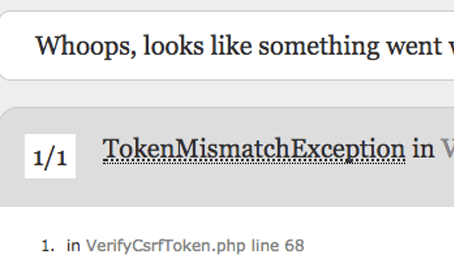
All Laravel 5 developers have seen the 'TokenMismatchException error page'. And wondered how to customise/redirect the page to the default login/home page.
me@grafxflow
07 Oct, 2016

Have you been wanting to learn how to use and install Laravel 5 on a Mac OS X running MAMP. Here is a simple 'how to' in 3 easy steps using the terminal.

20 May, 2025

11 Jul, 2023

Views: 169,266

Views: 41,845

Views: 39,629

Views: 36,457


