me@grafxflow
07 Apr, 2020

Learn how to use Advanced Compositing with the Cinema 4D (C4D) Shadow Catcher plugin in order to separate objects and shadows.
me@grafxflow
20 Apr, 2010

There will be times when rendering in C4D, that your Macs monitor stays on for hours. And if try to put the screen to sleep it does nothing. Try this.
me@grafxflow
12 Jan, 2010

You have an object that you want to dupe and mirror on the x axis. It's really easy to do… there is no need for the symmetry object!
me@grafxflow
12 Jan, 2010

Grab the object you want to duplicate and hold the ctrl key at the same time. The icon should change to a plus sign. Then you can place it anywhere.
me@grafxflow
17 Mar, 2008

Learn how to use the Cinema 4D (C4D) Shadow Catcher plugin in order to render a transparent background with a shadow. It's also available to download FREE.
me@grafxflow
21 Dec, 2007
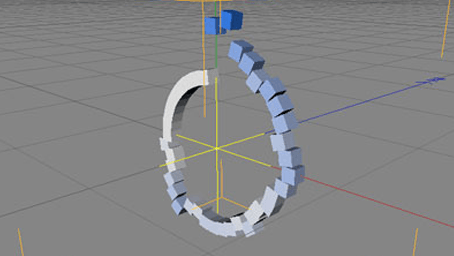
With this example you will create a mograph generated object which will react to music for its motion and movement. One of the great things about Cinema 4D.
me@grafxflow
06 Nov, 2007

I have always seen people using Maya, Max etc, rendering using VRAY. Recently I have seen some of the renders done using VRAY for Cinema 4D. WOW.
me@grafxflow
18 Sep, 2007

If for some reason you need to count the polygons on an object or scene in C4D, maybe related to creating 3D games.
me@grafxflow
18 Jan, 2007

This is just a simple example, but it should teach you the basics of using Matrix Extrude in C4D, which is a fantastic feature of C4D.
me@grafxflow
08 Jan, 2007

If in Cinema 4D and you have something close up to the camera it will be in focus and something in the distance is will be blurred, known as depth of field.

20 May, 2025

11 Jul, 2023

Views: 169,260

Views: 41,839

Views: 39,620

Views: 36,454


